GoHighLevel Migration Guide 2026: How to Move from HubSpot, ActiveCampaign, and Keap
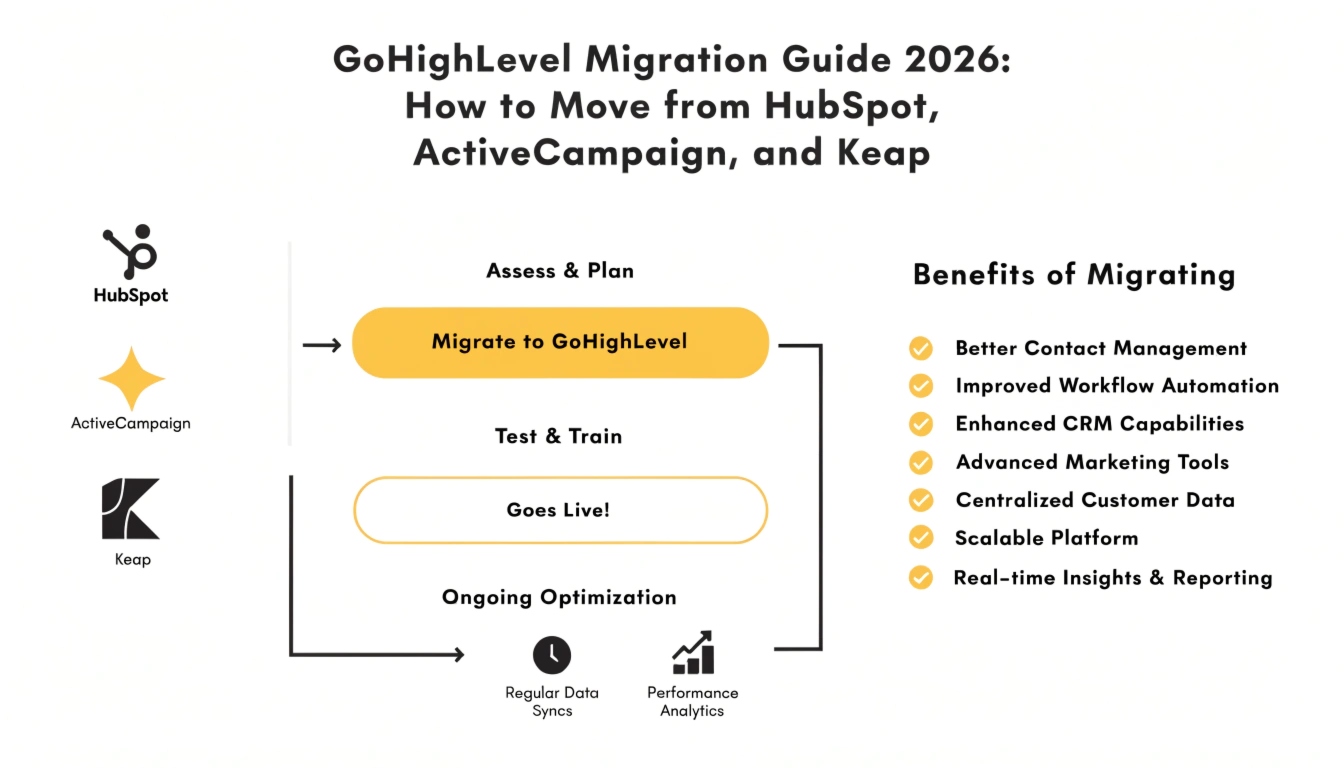
In 2026, the “Great Migration” is in full swing. Mid-market businesses and high-growth agencies are fleeing legacy platforms like HubSpot, ActiveCampaign, and Keap in favor of the all-in-one efficiency of GoHighLevel. The reason is simple: Consolidation. Why pay for a separate CRM, funnel builder, email marketing tool, and reputation manager when you can have them all in a single, high-performance ecosystem?
However, a GoHighLevel migration is not as simple as “exporting and importing.” If you don’t have a strategic plan, you risk losing customer history, breaking automation logic, and—most dangerously—damaging your email sender reputation. This guide provides the master blueprint for a seamless transition that preserves your data and scales your revenue.
Why Businesses are Migrating in 2026
Before diving into the “How,” let’s look at the “Why.” The primary drivers for migration today include:
Pre-Migration Audit (The Infrastructure Check)
Before you touch any data, you must audit your current “Digital Footprint.” A professional GoHighLevel setup service always starts here.
A. Mapping Your Automations
Legacy systems often have “zombie” automations—sequences that have been running for years that no one remembers.
Cleaning the Data
Do not import “garbage” data into your fresh GHL account.
Technical Environment Setup
You cannot move your data until the “Container” is ready. This is where most GoHighLevel agency services earn their keep.
The Data Transfer (The Heavy Lifting)
When executing a GoHighLevel migration, follow this specific order of operations to avoid data conflicts:
Exporting Custom Fields
Every CRM has unique data points (e.g., “Last Purchase Date” or “Interested Service”).
The Contact Import
When importing your CSV, map your columns carefully.
Mapping Pipelines and Opportunities
GHL allows you to import “Opportunities” separately. This ensures that your sales team doesn’t lose track of where a prospect was in the buying cycle.
Rebuilding Funnels and Pages
While you can’t “one-click” import a ClickFunnels or HubSpot page, GHL’s builder is designed for rapid recreation.
The “Ghost” Period (Testing & Warm-up)
Do not turn off your old system the day you start GHL.
Migration Specifics: HubSpot vs. Keap vs. ActiveCampaign
| Source System | Biggest Challenge | GHL Solution |
| HubSpot | Complex “Object” relationships. | Use Smart Lists to recreate segmented views. |
| ActiveCampaign | Complex conditional logic. | GHL’s new “Branching” logic in Workflows handles this natively. |
| Keap (Infusionsoft) | Campaign Builder “Spaghetti.” | Consolidate 10 legacy campaigns into 3 high-performance GHL Workflows. |
When to Hire a Professional for Migration
If your database is over 5,000 contacts or you have more than 10 active funnels, a DIY GoHighLevel migration is risky.
Most businesses choose a Done-for-you GoHighLevel migration service to ensure:
Conclusion
A GoHighLevel migration is more than a technical move—it is a strategic upgrade. By leaving behind the limitations and high costs of legacy platforms, you are positioning your business to leverage the next generation of AI Employees and autonomous marketing. Follow this blueprint, clean your data, and prepare for a more profitable 2026.