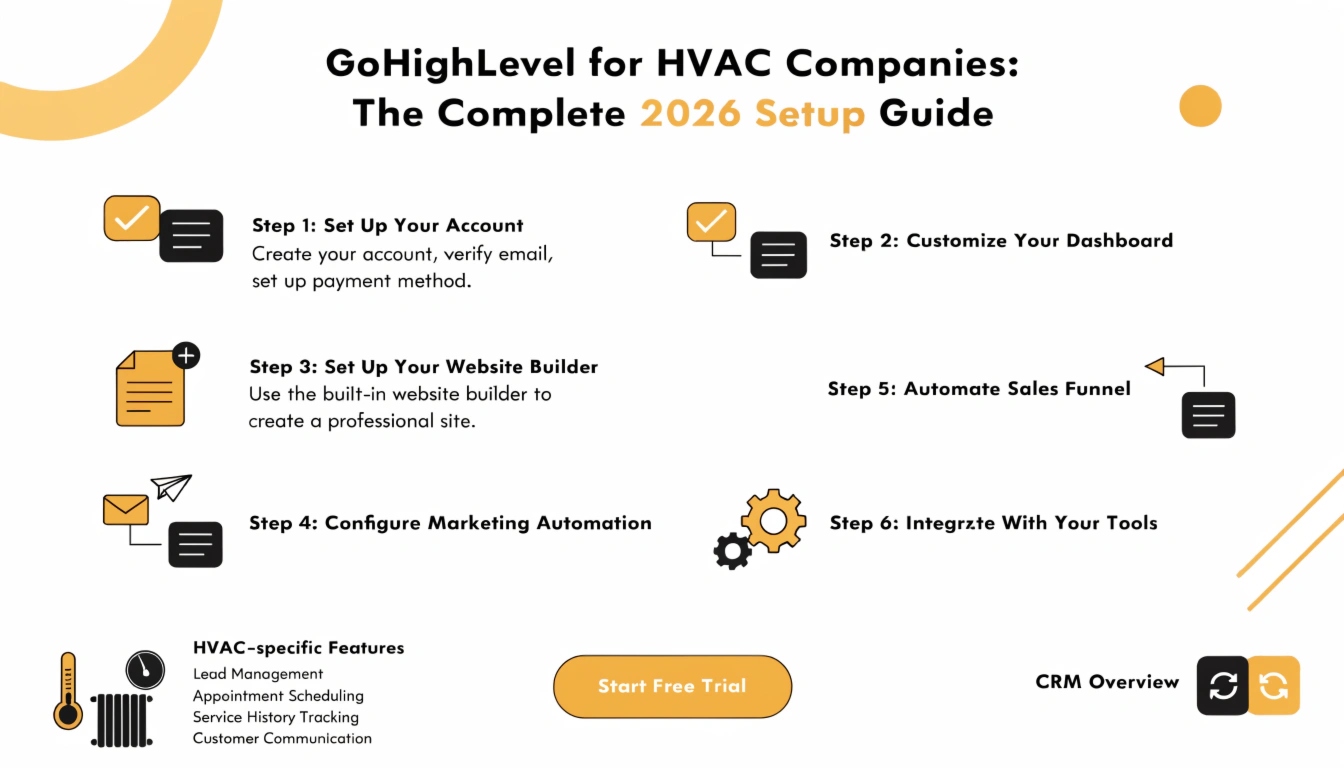
GoHighLevel for HVAC Companies: The Complete 2026 Setup Guide
GoHighLevel offers a pre-built HVAC Snapshot that loads industry-specific pipelines, missed-call text-back, seasonal booking workflows, and review-request automation directly into a new account cutting typical setup time from roughly 8 hours down to 3-4 hours of customization. It’s not a finished solution out of the box; you still need to personalize messaging for your local market and season before it’s ready to run.
HVAC is one of the best-fit industries for GoHighLevel, and it’s not close. The business runs on repeatable, predictable events a missed call during a heat wave, a maintenance plan renewal every spring and fall, a same-day emergency call that needs an instant response. That predictability is exactly what automation software is good at, which is why an entire mini-industry has sprung up selling HVAC-specific GoHighLevel snapshots.
This guide covers what the HVAC snapshot actually includes, what it doesn’t do for you, how to set it up properly, and how to decide between building it yourself or having it done for you.
What HVAC Companies Actually Struggle With
What the GoHighLevel HVAC Snapshot Actually Includes
A GoHighLevel snapshot is a pre-built template — funnels, workflows, pipelines, calendars, and message templates — that imports directly into a new or existing account instead of being built from scratch. For HVAC specifically, that typically means:
What it does not include: your actual business details, local market context, or a finished brand voice. Every snapshot on the market — regardless of who sells it — needs the same personalization pass before it’s genuinely ready to use. A message written for “before the Minnesota winter hits” needs to say something different if your service area is Georgia. Skipping this step is the single most common reason a snapshot install feels generic rather than actually converting leads.
Core Workflows to Prioritize First
| Workflow | What It Solves | Trigger |
|---|---|---|
| Missed call text-back | Recovers calls lost during peak-demand spikes | Inbound call not answered |
| Seasonal maintenance reminders | Fills the schedule predictably twice a year without manual campaigns | Date-based (spring/fall) |
| Estimate follow-up sequence | Reduces quotes that go cold before a decision is made | Estimate given, no booking within X days |
| Dispatch/on-the-way text | Reduces no-shows and improves the customer experience | Tech marked en route |
| Post-job review request | Captures reviews while satisfaction is highest | Job marked complete |
| Emergency after-hours routing | Ensures urgent calls (no heat, no AC) get handled differently than routine ones | Call received outside business hours |
Missed-call text-back and the review request automation are consistently the fastest to set up and the fastest to show a measurable difference — start there if you’re building this yourself.
Step-by-Step Setup
What the Competition Gets Wrong (And Right)
Most HVAC-snapshot sales pages you’ll find are thin: generic marketing copy, a stock list of features, and a “buy now” button, with little honest guidance on what still needs work after import. A few independent guides do this better — they’re upfront that the snapshot saves structural setup time but doesn’t replace the personalization work, and they give specific, credible numbers instead of vague promises.
The honest takeaway, and the one most sales pages skip: the snapshot’s real value is time saved on structure, not a finished business in a box. Anyone promising a fully “done” HVAC marketing system with zero customization required is overselling what any snapshot — from any provider — can actually do.
DIY Snapshot vs. Done-For-You: Which Makes Sense
| Build It Yourself | Done-For-You Setup | |
|---|---|---|
| Time investment | A few hours to a full day, spread over personalizing every workflow | Minimal — you provide business details, we configure everything |
| Best for | Agencies or owners comfortable in GoHighLevel already | HVAC owners who want it running correctly without learning the platform |
| Risk of “generic” output | Higher if personalization step gets rushed or skipped | Lower — professional setup accounts for your specific market and season |
| Cost | Software cost only | Software cost + one-time setup fee |
If you’d rather have this configured correctly the first time — compliance, seasonal timing, and message personalization included — that’s exactly what we do. (See our agency setup cost breakdown and done-for-you setup options.)
Frequently Asked Questions
Does GoHighLevel have a snapshot built specifically for HVAC?
Yes. GoHighLevel offers an HVAC-specific snapshot with pre-built pipelines, missed-call text-back, seasonal reminder workflows, and review request automation, available during account onboarding or importable into an existing account.
How much setup time does the HVAC snapshot actually save?
It typically cuts initial setup from a full workday down to roughly half that, since the structure (pipelines, workflows, templates) is already built — you’re personalizing rather than building from scratch.
Can GoHighLevel handle after-hours HVAC emergencies?
Yes. Missed-call text-back runs 24/7 and fires regardless of the hour. Most HVAC businesses customize the after-hours message specifically to route true emergencies (no heat, no AC) differently than routine inquiries.
Is the HVAC snapshot ready to use immediately after import?
No. It’s a structural template — every message still needs your business name, technician names, service area, and seasonal context before it reads as genuinely yours rather than generic.
Should I build this myself or pay for a done-for-you setup?
If you’re already comfortable in GoHighLevel and have time to personalize every workflow properly, DIY works fine. If you’d rather it be configured correctly the first time without learning the platform, a done-for-you setup removes that risk.
Two Ways to Get Started
If you want us to set this up for you: book a free consultation and we’ll walk through exactly what your HVAC business needs — snapshot, workflows, and compliance included. Book your free consultation here.
If you’d rather start your own GoHighLevel account first: sign up through our link and you’ll get a bonus package on top of the standard trial — $10,000 in bonuses plus free funnels, snapshots, and a GHL website template included at no extra cost. (This is an affiliate link — we earn a commission if you sign up through it, at no extra cost to you.) Claim your bonuses and start your GoHighLevel trial here.