GoHighLevel for Accountants & CPAs: The Complete 2026 Automation Guide
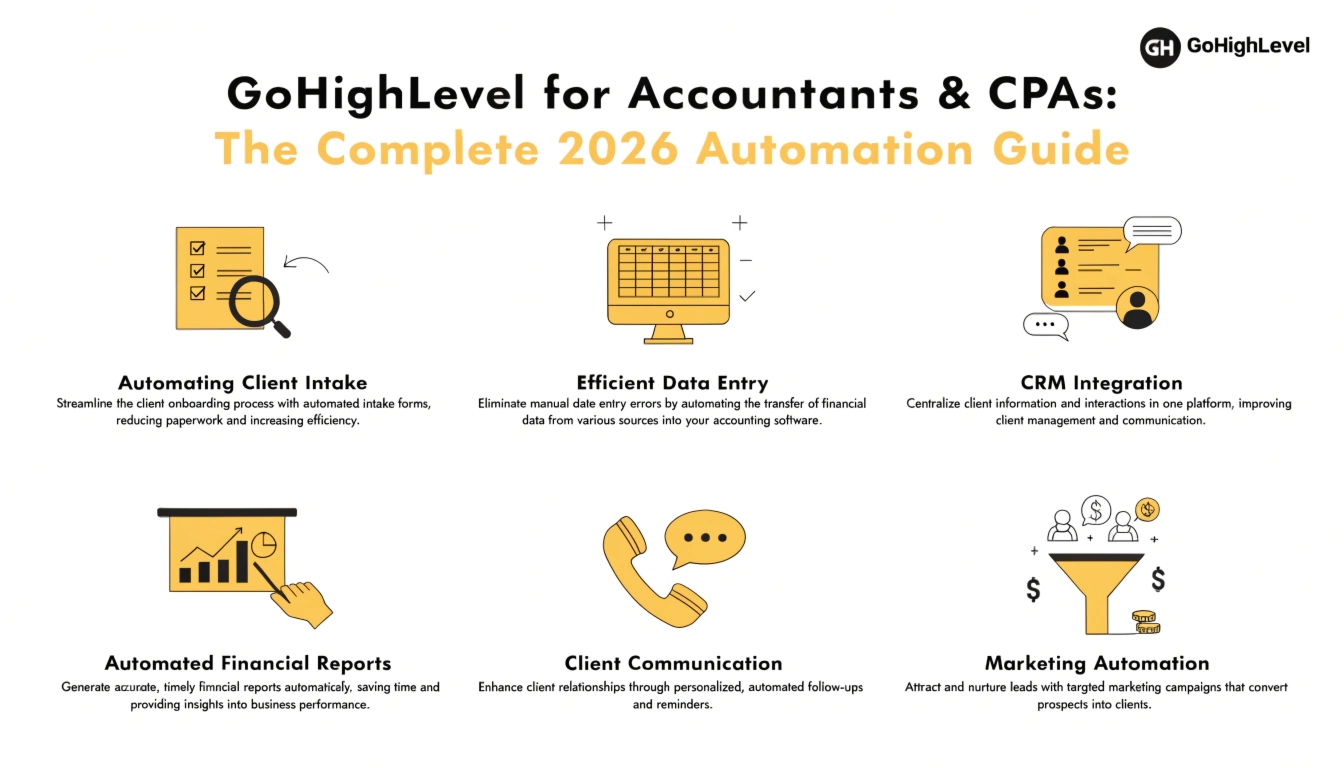
GoHighLevel is an all-in-one CRM and automation platform that accounting and CPA firms use to replace manual client intake, tax-document chasing, appointment scheduling, and review requests with automated workflows — typically consolidating 4-6 separate tools (calendar app, email tool, texting service, review platform) into one system with a single client record per contact.
If you run a tax or accounting practice, you already know the actual bottleneck isn’t the tax return — it’s everything around it: getting prospects on the calendar, chasing clients for W-2s and 1099s every January, sending renewal reminders, and asking happy clients for a Google review after they’ve already moved on with their life. That’s the exact list of problems GoHighLevel is built to automate, and it’s why accounting firms have become one of the platform’s fastest-growing verticals.
This guide covers what GoHighLevel actually does for an accounting or CPA practice, which workflows matter most, how to set it up without breaking compliance rules, and what it costs versus alternatives.
What Accounting Firms Actually Struggle With (Before Automation)
Most firms don’t lose clients over the quality of the tax work. They lose them — or burn out their staff — over process gaps that repeat every single season:
- Document collection drags on for weeks. Clients forget to upload a 1099, staff sends the same reminder email manually, and returns sit half-finished.
- Missed calls during tax season go unanswered. A prospective client calls in February, doesn’t reach anyone, and calls the next firm on the list.
- Consultation scheduling happens by phone tag. No self-serve booking means a receptionist or partner is manually coordinating calendars.
- Client retention relies on memory, not process. Nobody has a systematic way to re-engage a client from last year who hasn’t booked this year’s appointment.
- Reviews get asked for inconsistently, if at all. The clients most likely to leave a 5-star review are the ones a busy firm forgets to ask.
None of these are tax problems. They’re workflow problems — which is exactly the category GoHighLevel addresses.
Why GoHighLevel Fits Accounting & CPA Firms Specifically
GoHighLevel wasn’t built exclusively for accountants, but three of its core capabilities map unusually well onto how tax and accounting practices actually operate:
1. It handles seasonal spikes without extra software. Accounting firms have a hard deadline-driven cycle (tax season, quarterly estimates, year-end planning) that most generic CRMs aren’t built around. GoHighLevel’s workflow triggers can be scheduled around specific dates — meaning a “60 days before the filing deadline” reminder sequence can run automatically every year without a partner remembering to set it up again.
2. One client record instead of five disconnected tools. A typical small firm juggles a calendar app for bookings, a separate email tool for newsletters, a texting app for reminders, and a review-request tool bolted on afterward. GoHighLevel merges all of that into a single contact record, so a client’s call history, texts, emails, appointments, and payment reminders live in one place.
3. Missed-call text-back matters more in accounting than most industries. A prospective client calling a CPA firm during a stressful tax deadline is a high-intent lead. If nobody picks up, GoHighLevel can automatically text them back within seconds, which measurably reduces the number of leads who simply call a competitor next.
Core Workflows Every Accounting Firm Should Automate
These are the automations that tend to deliver the fastest, most measurable payoff for accounting and CPA practices:
| Workflow | What It Solves | Trigger |
|---|---|---|
| Missed call text-back | Recovers leads lost to unanswered calls during peak season | Inbound call not answered |
| Document collection reminders | Chases W-2s, 1099s, and receipts without manual follow-up | Client tagged “documents pending” |
| Consultation self-booking | Removes phone tag for new client intake | New lead form submitted |
| Tax deadline countdown sequence | Reduces late filings and last-minute rush work | Date-based (e.g., 60/30/7 days pre-deadline) |
| Client re-engagement | Brings back last year’s clients who haven’t rebooked | No appointment booked by set date |
| Post-filing review request | Captures 5-star reviews while satisfaction is highest | Invoice marked paid / appointment marked complete |
| Renewal & retainer reminders | Reduces churn on ongoing bookkeeping or advisory clients | Subscription/retainer renewal date |
Most firms start with missed-call text-back and document collection reminders — they’re the fastest to set up and produce the most immediate, visible time savings for staff.
Step-by-Step: Setting Up GoHighLevel for Your Accounting Practice
GoHighLevel for Accountants vs. Accounting-Specific Practice Tools
| GoHighLevel | Practice-Management Tools (Canopy, Karbon) | |
|---|---|---|
| Built specifically for accounting workflow (tax software, e-signature for returns) | No | Yes |
| Client intake & lead follow-up automation | Yes — this is its core strength | Limited |
| Missed-call text-back, SMS/email marketing | Yes | Usually not included |
| Review generation & reputation management | Yes | Usually not included |
| Can run a full firm’s marketing and new-client pipeline | Yes | No |
| Handles the actual tax workflow (document requests tied to tax software) | Partial — works alongside, not instead of, your tax software | Yes |
The honest takeaway: GoHighLevel isn’t a replacement for tax-prep software or a document-management platform built for CPAs — it’s what runs underneath your marketing, intake, and client communication. Most firms run it alongside their existing tax software rather than instead of it.
Compliance & Data Security Considerations
Accounting firms handle sensitive financial data, so a few things are worth checking before rollout:
Illustrative Example: Where the Time Savings Typically Show Up
To be transparent, this isn’t a specific client case study — it’s an illustrative example based on typical workflow math for a small firm.
A 3-partner firm with roughly 200 tax clients might spend an estimated 8-10 staff hours per week during tax season just following up for missing documents by phone and email. Automating that follow-up into a scheduled text/email sequence commonly cuts that manual chasing down substantially, since the system sends the reminders and staff only need to handle clients who don’t respond after 2-3 automated touches. The realistic win isn’t “zero work” — it’s shifting staff time from repetitive follow-up to the exceptions that actually need a human.
Frequently Asked Questions
Is GoHighLevel good for a solo CPA or small firm, or only larger practices?
It works for both, but solo practitioners typically see the fastest ROI from missed-call text-back and appointment self-booking alone, since those solve the two biggest time-drains without needing a large team to manage workflows.
Does GoHighLevel replace my tax preparation software?
No. GoHighLevel handles marketing, client communication, scheduling, and follow-up. Your tax prep software (Drake, Lacerte, UltraTax, etc.) still handles the actual return preparation and filing.
Can I use GoHighLevel to collect client tax documents securely?
You can use it to remind clients to upload documents, but the actual upload should go through a secure, encrypted portal — not a standard GoHighLevel form — given the sensitivity of SSNs and financial data.
How long does it take to set up GoHighLevel for an accounting firm?
A basic setup (missed-call text-back, booking calendar, one reminder workflow) can be running within a few days. A full build-out with tax-deadline sequences, document collection automation, and reporting typically takes 2-4 weeks depending on how many services your firm offers.
Is texting clients about tax deadlines legal?
Yes, provided you have proper consent on file and your business is registered for A2P 10DLC compliance for SMS. Unregistered or non-compliant texting risks messages being blocked and potential compliance issues.
What does it cost to set up GoHighLevel for an accounting firm?
Software cost aside, professional setup services vary based on how many workflows and integrations you need. See our agency setup cost breakdown for typical ranges, or our done-for-you setup option if you’d rather not build it yourself.
Getting Started
If you’re running an accounting or CPA practice and tax season keeps eating your team’s time on things that aren’t tax work, a properly configured GoHighLevel setup is one of the highest-leverage changes you can make before the next filing deadline. We offer a free audit of your current client intake and follow-up process — book one to see exactly where the time is leaking before you build anything.